

Send me your CV for a free review to John@johnloganbmc.co.uk. I’ll review it myself and provide honest, constructive feedback as a professional CV writer.
Crafting a standout CV in 2026 is more challenging than ever. With employers relying on new technologies and high competition for every role, your CV must work harder to get noticed.
If you have wondered, “Can someone help me create a CV that stands out?”, this essential guide is for you. You will learn how to meet modern CV requirements, follow a step-by-step creation process, tailor your CV for every role, design it professionally, and avoid common mistakes.
Stay ahead with the latest trends and proven strategies. This guide uses practical advice and expert insights to help you secure more interviews and advance your career. Ready to build a CV that opens doors? Let’s get started—and remember, you can send your CV to John@johnloganbmc.co.uk for a free, expert review.
Understanding the 2026 CV Landscape

How CV Expectations Have Evolved
If you are thinking, “Help me create a CV that works in 2026,” you are not alone. The CV landscape has changed rapidly as UK employers adapt to digital recruitment and evolving workplace needs. Over 75% of UK employers now rely on Applicant Tracking Systems (ATS) to screen candidates, meaning your CV must be optimised for both technology and humans.
Traditional CVs, which simply list duties, are being replaced by modern, results-driven documents that highlight skills and measurable achievements. The focus is now on what you delivered, not just what you did. To succeed, you need to understand how to align your CV with these new expectations.
| Feature | Traditional CV | Modern CV (2026) |
|---|---|---|
| Focus | Duties and responsibilities | Achievements and results |
| Format | Paragraphs | Bullet points, clarity |
| ATS Optimised | No | Yes |
| Skills Highlighted | Minimal | Prominent, tailored |
For more on ATS and how it affects your application, see ATS and recruitment automation tips.
Essential Sections Every CV Needs
When you say, “help me create a CV that will get noticed,” you must know which sections are essential in 2026. Personal details remain important, but you should only include your name, professional email, and mobile number. Outdated elements like marital status or full address are no longer required.
A strong professional summary has overtaken the old-fashioned objective statement. This summary should showcase your skills, experience, and value to employers in two or three impactful lines. In your work experience section, always quantify your achievements with % or numbers, for example, “Increased customer retention by 25%.”
Key sections to include:
- Personal details (name, email, mobile)
- Professional summary
- Work experience (quantified results)
- Education, skills, certifications
- Optional: volunteering, languages, interests
Remember, if you want help creating a CV that stands out, every section should be relevant and up-to-date.
What UK Employers Really Look For
Recent UK recruitment surveys indicate that employers are seeking candidates with strong digital literacy, adaptability, and teamwork skills. These skills are now among the most in-demand for 2026. Including them in your CV can make a real difference, especially if you provide evidence of your capabilities.
A well-crafted professional summary can increase your interview chances by up to 60%. Avoid red flags such as unexplained employment gaps, generic wording, or failing to show results. Be specific, use action verbs, and tailor your CV for each role.
Step-by-Step: How to Create a CV for 2026
Creating a standout CV in 2026 requires more than just listing jobs and education. If you have ever thought, “Help me create a CV that gets noticed,” this step-by-step guide is for you. Let us break down each stage so you can build a CV that meets modern standards and secures interviews.

Step 1: Gather Your Information
Start by collecting all the details you will need. This includes every relevant job you have held, your education, certifications, and any notable achievements. Do not forget volunteering or part-time roles if they add value.
Focus on results. For each position, record quantifiable outcomes. For example:
- Increased sales by 30% within six months
- Reduced customer complaints by 15%
- Managed a team of 10 staff members
These specifics help you answer the question, “Help me create a CV that demonstrates impact.” Keep your information up to date, and be ready to tailor it for each application.
Step 2: Choose the Right CV Format
Select a CV format that best presents your background. The three main types are:
| Format | Best for | Pros | Cons |
|---|---|---|---|
| Chronological | Stable career progression | Easy to follow, favoured by UK employers | Gaps are obvious, less skill focus |
| Functional | Career changers, skills focus | Highlights strengths, downplays gaps | Less common, it can raise questions |
| Combination | Mixed experience | Balances skills and history | Can get lengthy |
If you are transitioning from the military or police to civilian roles in England, a combination CV is often effective. Still unsure? Explore What makes a successful CV for more format insights.
Remember, the right structure is crucial when you ask, “Help me create a CV that stands out.”
Step 3: Write a Powerful Professional Summary
Your professional summary is the first section employers read. Make it count. Highlight your top skills, achievements, and what makes you unique. Use strong action words and include keywords from the job description for ATS optimisation.
For instance:
Results-driven marketing specialist with 7 years’ experience, skilled in digital campaigns and data-driven growth. Increased online engagement by 45% in 2025. Seeking to bring innovative ideas to a dynamic UK team.
Including keywords improves your chances of passing ATS filters. If you are thinking, “Help me create a CV that gets noticed by software and humans,” focus on relevant buzzwords.
Step 4: Detail Your Work Experience Effectively
List your work experience in reverse chronological order. For each role, use bullet points to describe your responsibilities and, most importantly, your achievements.
Tips:
- Begin each point with an action verb (e.g. managed, improved, created)
- Quantify results wherever possible (e.g. “Reduced operational costs by 20%”)
- Tailor details to match the role you are applying for
This approach answers, “Help me create a CV that proves my value.” Avoid vague descriptions and always show the impact you made.
Step 5: Showcase Skills and Education
Highlight both hard and soft skills. Digital literacy, adaptability, and teamwork are highly valued in the UK for 2026. List your education, certifications, and any ongoing training.
Example:
- Google Data Analytics Certificate, 2025
- Fluent in Spanish
- Advanced Excel and Power BI
If you are asking, “Help me create a CV that reflects current demands,” ensure your skills section aligns with the job requirements. Keep this section concise and relevant.
Step 6: Optional Sections to Stand Out
Add sections like volunteering, languages, or personal interests if they strengthen your application. For example, volunteering for a local charity in Manchester or participating in coding clubs.
Include references only if requested, or simply state “References available on request.” If you want to show more personality, mention interests that relate to the job, such as leadership roles in sports or community groups.
Still thinking, “help me create a CV that truly stands out?” These extras can set you apart from other candidates.
Common Questions:
- How often should I update my CV?
- Update your CV every 6–12 months or after major achievements.
- Should I include volunteer work?
- Yes, if it is relevant or shows valuable skills.
- What if I have employment gaps?
- Address gaps honestly, noting any learning or volunteering during that time.
- How long should my CV be?
- Two pages are standard for UK roles in 2026.
- Can I get feedback on my CV?
- Absolutely. Send your CV to John@johnloganbmc.co.uk for a free, professional review.
Tailoring Your CV for Each Role
Adapting your CV for every job application is one of the most effective ways to stand out in the 2026 job market. If you are thinking, “help me create a CV that gets noticed,” customisation is the answer. Employers and Applicant Tracking Systems (ATS) are looking for candidates who closely match the role’s requirements, so a one-size-fits-all approach will not suffice.

Why Customisation Matters in 2026
Customisation is more important than ever. Data shows that tailored CVs are 70% more likely to pass ATS filters, giving you a significant edge. In 2026, most UK employers use digital screening, so you must align your CV with the exact keywords and skills found in the job description. If you ask, “Help me create a CV that matches what employers want,” start by thoroughly analysing the job advert.
The hiring landscape is shifting to skill-based recruitment, with less focus on formal qualifications and more on practical achievements. According to recent research into Skill-Based Hiring Trends, employers in 2026 will prioritise digital literacy, adaptability, and proven results. Matching your CV’s skills and achievements to the advert’s requirements is now vital.
For example, instead of simply listing responsibilities, demonstrate how your experience directly relates to the role. This approach helps both ATS and hiring managers see your fit immediately.
Practical Tips for Personalisation
To help me create a CV that is truly targeted, start by customising your professional summary for each employer. Use the company’s preferred language and incorporate key skills from the job description. Reorder your CV sections if necessary, bringing the most relevant experience to the top.
Here are practical steps:
- Adapt your professional summary for each application.
- Highlight specific skills and achievements relevant to the role.
- Reorder sections to showcase your strongest qualifications first.
- Include recent certifications or digital skills that align with the job.
- For management positions, place leadership achievements prominently.
This approach ensures your CV resonates with both ATS and recruiters. Remember, a tailored CV demonstrates genuine interest and preparation, making you a stronger candidate.
Avoiding Generic Applications
Sending out the same CV for every role is a common mistake that often leads to rejection. Employers quickly spot generic applications, which signal a lack of effort. If you want to help me create a CV that increases your interview chances, avoid this pitfall.
Risks of generic CVs include:
- Failing to pass ATS keyword filters
- Overlooking crucial job-specific requirements
- Appearing disengaged or unmotivated
Consider this case study: A candidate who previously sent generic applications began tailoring their CV for each job. As a result, their interview rate increased by 50%. This proves the power of personalisation and attention to detail.
In summary, crafting a tailored CV for each application is essential to success in 2026. For expert advice, send your CV to John@johnloganbmc.co.uk and receive honest, professional feedback.
CV Design, Layout, and Formatting Tips
Crafting a CV that stands out visually and structurally is vital if you want recruiters to say, “Help me create a CV that gets interviews.” In 2026, first impressions begin before anyone reads a word. Your CV’s design, layout, and formatting are as important as its content, ensuring it passes both digital and human checks with ease.
Creating a Professional First Impression
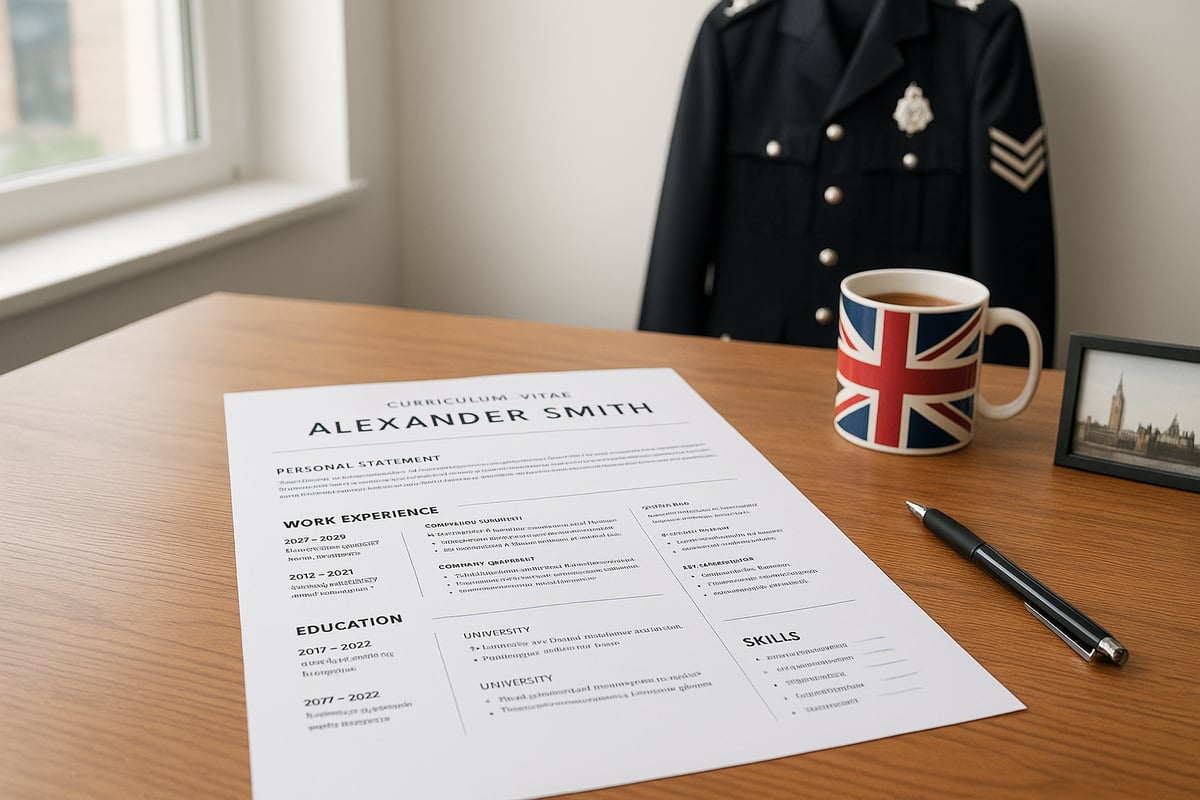
Your CV must be instantly clear, professional, and relevant. In the UK, the standard CV is typically two pages, using a readable font such as Arial or Calibri, set at 10-12 points. Margins should be balanced, and sections clearly separated with bold headings.
Consider the impact of a before-and-after transformation: a cluttered, lengthy CV with inconsistent fonts versus a streamlined, well-structured document. The latter is more likely to impress recruiters and prompt them to say, “Help me create a CV with real impact.” Always use black text on a white background, and keep design elements subtle to maintain professionalism.
Follow these design essentials:
- Stick to two pages
- Use bullet points to break up information
- Align all content to the left for readability
A polished CV design signals attention to detail and respect for the recruitment process.
Formatting for ATS and Human Readers
Today, over 75% of UK employers use Applicant Tracking Systems (ATS) to filter CVs. To get past these digital gatekeepers, avoid graphics, tables, columns, or unusual fonts. Instead, use clear section headings, standard fonts, and logical order.
Bullet points make achievements easy to spot. Use bold for section titles and keep formatting consistent throughout. Data shows CVs formatted for ATS are 50% more likely to be shortlisted, so ask yourself, “Help me create a CV that works for both robots and people.”
Table: ATS-Friendly Formatting Tips
| Do | Don’t |
|---|---|
| Use standard fonts (Arial, Calibri) | Add graphics or images |
| Simple bullet points | Use tables or columns |
| Clear headings (Work Experience) | Unusual fonts or colours |
| Consistent formatting | Inconsistent spacing |
By balancing ATS optimisation with human readability, you significantly boost your chances of success.
Common Design Mistakes to Avoid
Many candidates lose out due to basic errors. Overly complex layouts, excessive colours, and distracting elements can cause your CV to be rejected by ATS or ignored by recruiters. Spelling and grammar mistakes, inconsistent formatting, and irrelevant details all undermine your credibility.
A simple, elegant design not only improves your interview rate but also sends a message of professionalism. For more on what not to do, see this guide on Avoid these common CV mistakes.
Ask yourself, “Help me create a CV that avoids these pitfalls.” Proofread carefully, keep formatting uniform, and always check your CV on different devices before sending.
Common CV Mistakes and How to Avoid Them
Top Errors That Undermine Your CV
Even the most skilled professionals can fall into common traps when they ask, “Help me create a CV.” The most frequent mistakes include:
- Spelling and grammar errors harm your credibility.
- Outdated information, such as an old address or irrelevant roles.
- Failing to quantify achievements, instead of saying “managed a team,” specify “managed a team of five, raising output by 25%.”
- Vague descriptions that do not highlight results.
- Using a generic template makes your CV blend in rather than stand out.
Q: Why do spelling errors matter so much?
A: Recruiters see them as a lack of attention to detail, which can cost you interviews.
Q: What sections are most often outdated?
A: Contact details, early work history, and obsolete skills.
How to Proofread and Get Feedback
When you say, “Help me create a CV,” start by reviewing your document several times. Read aloud, use spellcheck, and ask a friend or colleague to look it over. For your professional summary, consider referencing How to write a CV personal statement for expert advice.
Q: How else can I check my CV for mistakes?
A: Print it out and review it line by line, or read it backwards to spot errors.
Getting external feedback is vital. Send your CV to John@johnloganbmc.co.uk for a free, expert review. This can reveal issues you might miss yourself.
Q: Who should I trust for feedback?
A: Choose someone experienced in recruitment or a professional CV writer.
Staying Up to Date for 2026
If you want to stay ahead, “Help me create a CV” should focus on the latest trends. Continuously update your CV with new certifications, digital skills, and recent achievements. UK employers in 2026 value adaptability and digital literacy more than ever.
Q: How often should I update my CV?
A: Review and update your CV every six months, or after any major achievement.
Q: What’s one trend for 2026?
A: Emphasise digital skills and recent qualifications to align with the evolving UK job market.
Send me your CV for a free review to John@johnloganbmc.co.uk. I’ll look through it myself and give you honest, constructive feedback as a professional CV writer.
Frequently Asked Questions About Creating a CV in 2026
Send me your CV for a free review to John@johnlogan.co.uk. I’ll look through it myself and give you honest, constructive feedback as a professional CV writer.
Q1: What is the best CV format for 2026 job applications?
The most effective format in 2026 is a combination CV. This balances clear work history with a strong emphasis on skills and results. Choose a format that highlights your achievements and fits your career stage. If you have gaps or are changing industries, a skills-based approach is ideal. If you want to know, “help me create a cv” that truly stands out, start with the right structure.
Q2: How do I make my CV stand out to UK employers?
Tailor every CV to the job description, using relevant keywords and quantifiable results. Focus on achievements, not just duties. For example, instead of saying “responsible for sales,” write “increased sales by 30% in six months.” Personalising your CV can boost your interview chances by up to 60%. If you need more support, just email John@johnloganbmc.co.uk.
Q3: What are the most important skills to include on my CV?
In 2026, digital literacy, adaptability, and teamwork are highly valued. Highlight technical abilities, communication, and problem-solving. The Digital Skills Shortage in the UK shows employers are seeking candidates with up-to-date digital skills, so always include your latest training and certifications.
Q4: How can I make sure my CV passes ATS screening?
Use standard fonts, clear headings, and avoid graphics. Include keywords from the job advert and focus on achievements. According to AI’s Impact on UK Hiring Trends, digital fluency and ATS optimisation are key in the UK market for 2026. If you are thinking, “help me create a cv that passes ATS,” review your CV for clarity and relevance.
Q5: How often should I update my CV, and can I include volunteering?
Update your CV every few months or after any new achievement. Always include relevant volunteering or non-paid work, especially if it develops key skills. Employers value current, well-rounded applicants. For professional feedback, send your CV to John@johnloganbmc.co.uk for a free review.
Send me your CV for a free review to John@johnlogan.co.uk. I’ll look through it myself and give you honest, constructive feedback as a professional CV writer.
If you’re ready to move your career forward and put everything you’ve learned here into practice, I’m here to help you make your CV truly stand out. Creating a powerful CV isn’t just about ticking boxes—it’s about presenting your achievements, strengths, and ambitions in a way that speaks directly to UK employers in 2026. With years of recruitment experience, I’ll work with you personally to ensure your CV is bespoke, ATS optimised, and tailored to your goals. Let’s give you the edge you deserve—discover the Professional CV Writer UK Bespoke CV Writing Service for Results.
text][et_pb_button button_url=”https://johnloganbmc.co.uk/cv-packages/” button_text=”Pricing and Packages” _builder_version=”4.27.4″ _module_preset=”default” global_colors_info=”{}” theme_builder_area=”post_content”]button][et_pb_button button_url=”https://johnloganbmc.co.uk/john-logan-cv-reviews/” button_text=”Reviews” _builder_version=”4.27.4″ _module_preset=”default” global_colors_info=”{}” theme_builder_area=”post_content”]button][et_pb_button button_url=”https://johnloganbmc.co.uk/contact-john-logan-cv-writer/” button_text=”Contact” _builder_version=”4.27.4″ _module_preset=”default” global_colors_info=”{}” theme_builder_area=”post_content”]button]column]row]section]